

Kroha support center
 Questions about Kroha Advanced
How do I switch to developer mode on a Samsung device?
Questions about Kroha Advanced
How do I switch to developer mode on a Samsung device?
How do I switch to developer mode on a Samsung device?
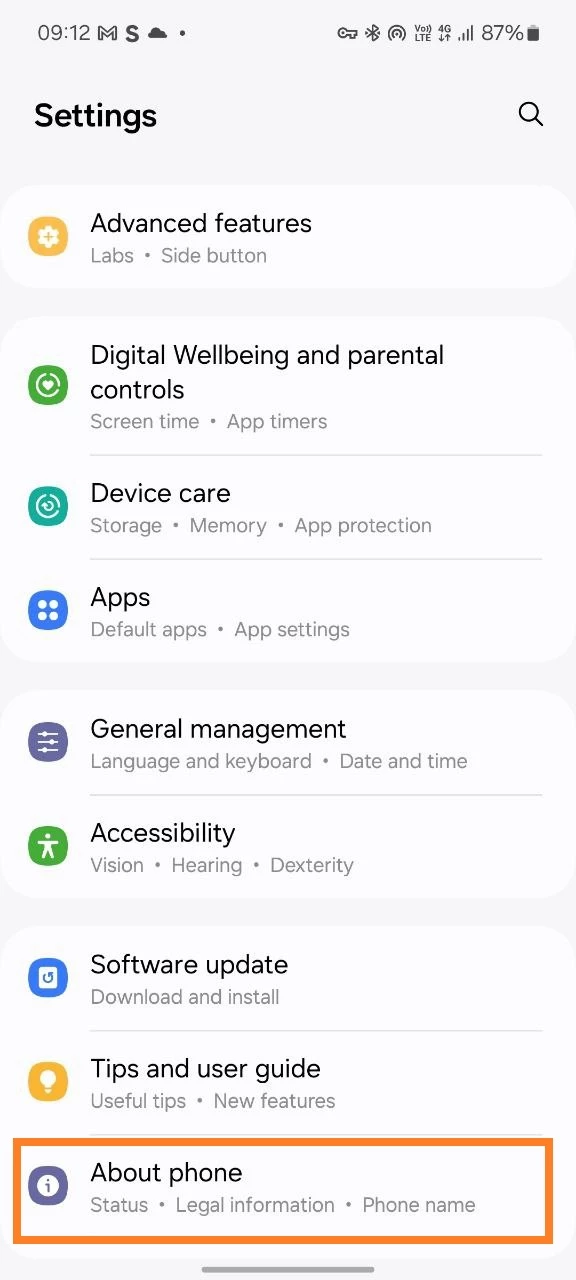
- Open the Settings;
- Go to the “About Phone” section;
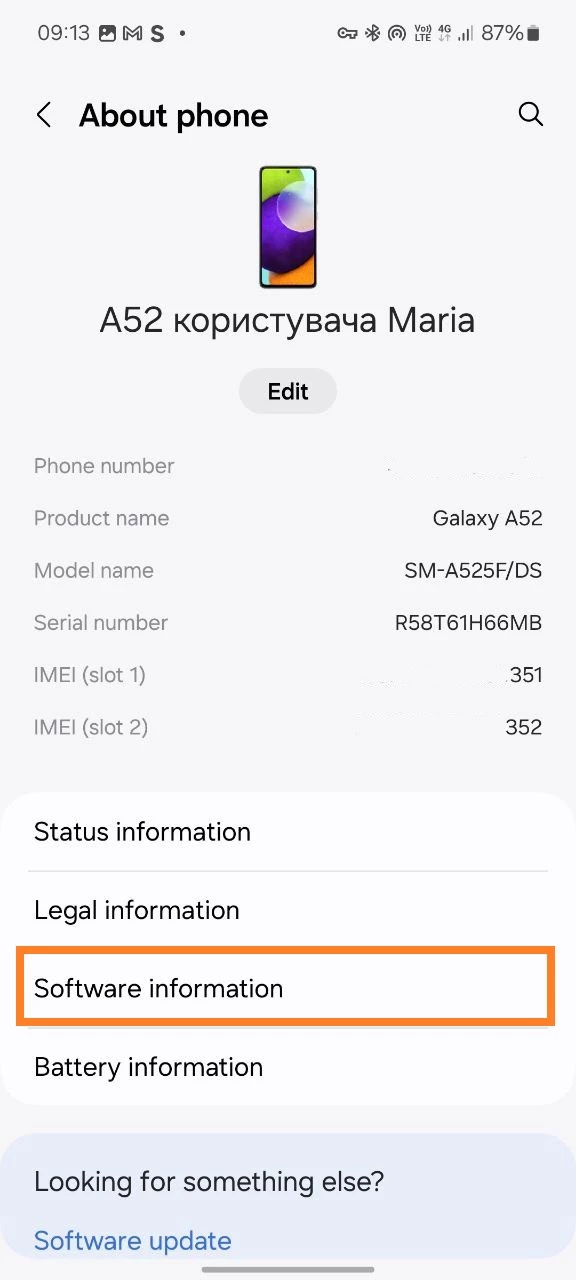
- Select “Software Information”;
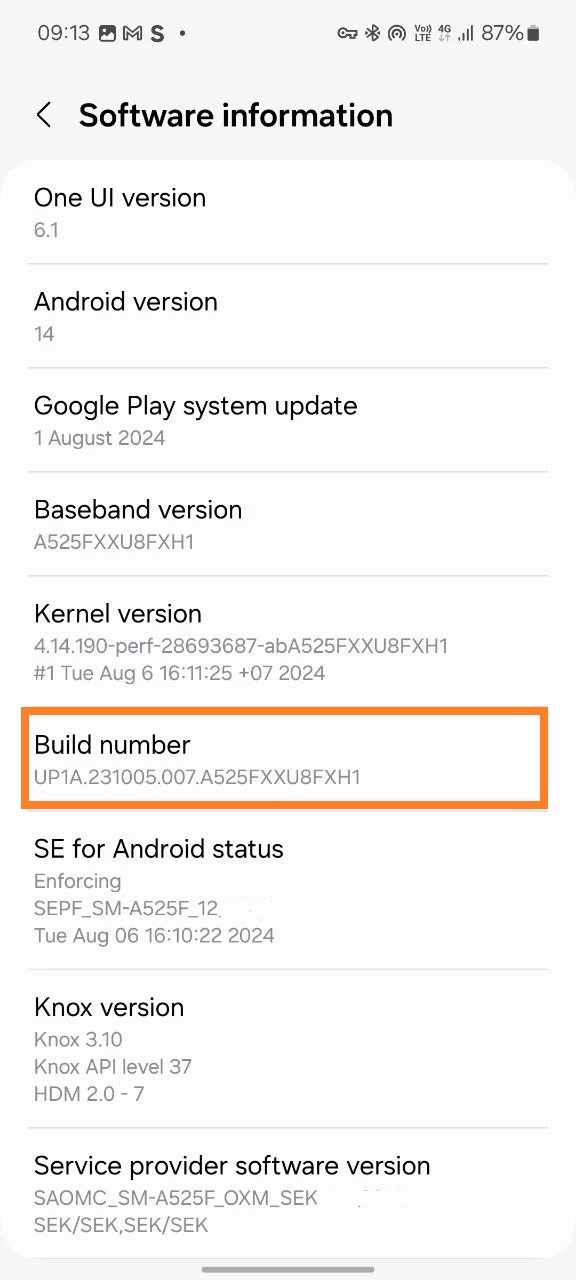
- Find the item “Build Number” and click on it 5-8 times;
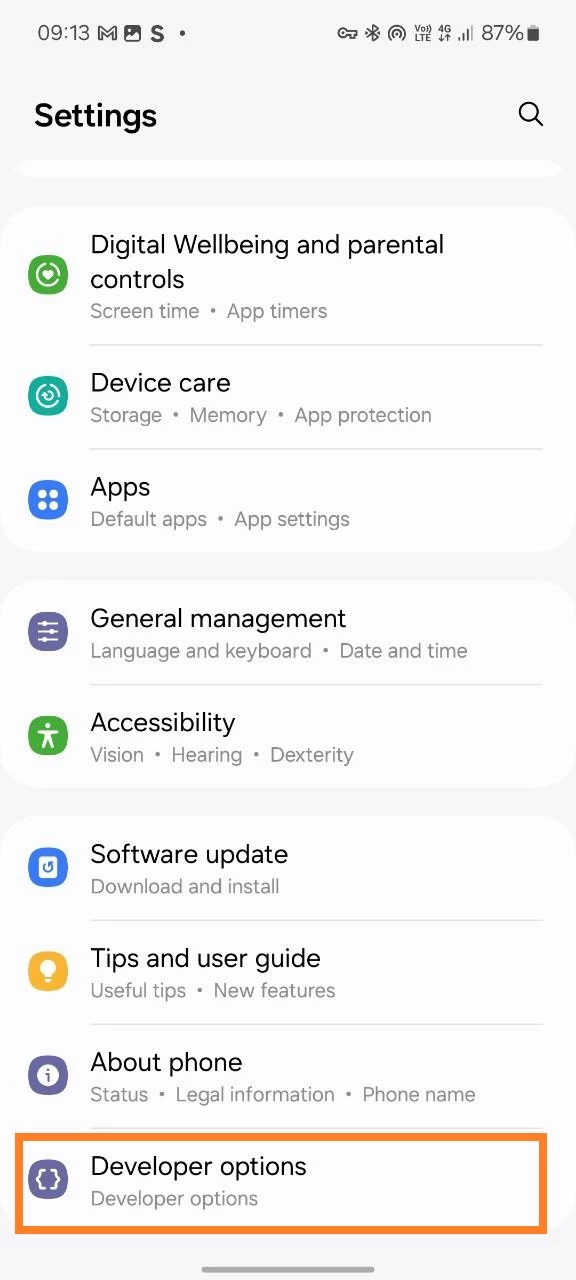
Next, to go to the developer options:
- Open the Settings;
- The “Developer Options” section will appear at the bottom, click on it.