

Kroha support center
 Questions about Kroha Advanced
How to switch to developer mode on OnePlus or OPPO device?
Questions about Kroha Advanced
How to switch to developer mode on OnePlus or OPPO device?
How to switch to developer mode on OnePlus or OPPO device?
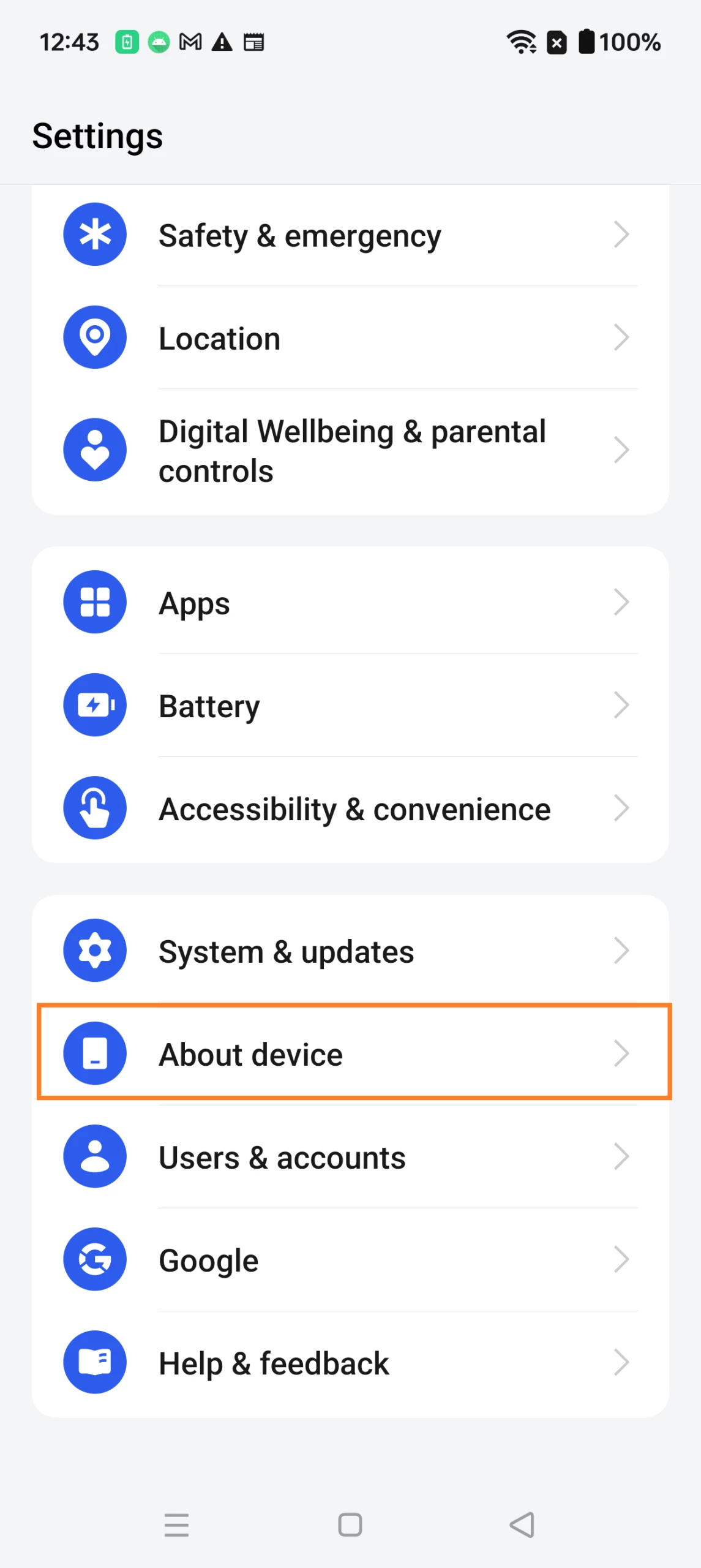
- Open the Settings;
- Go to the “About Device” section;
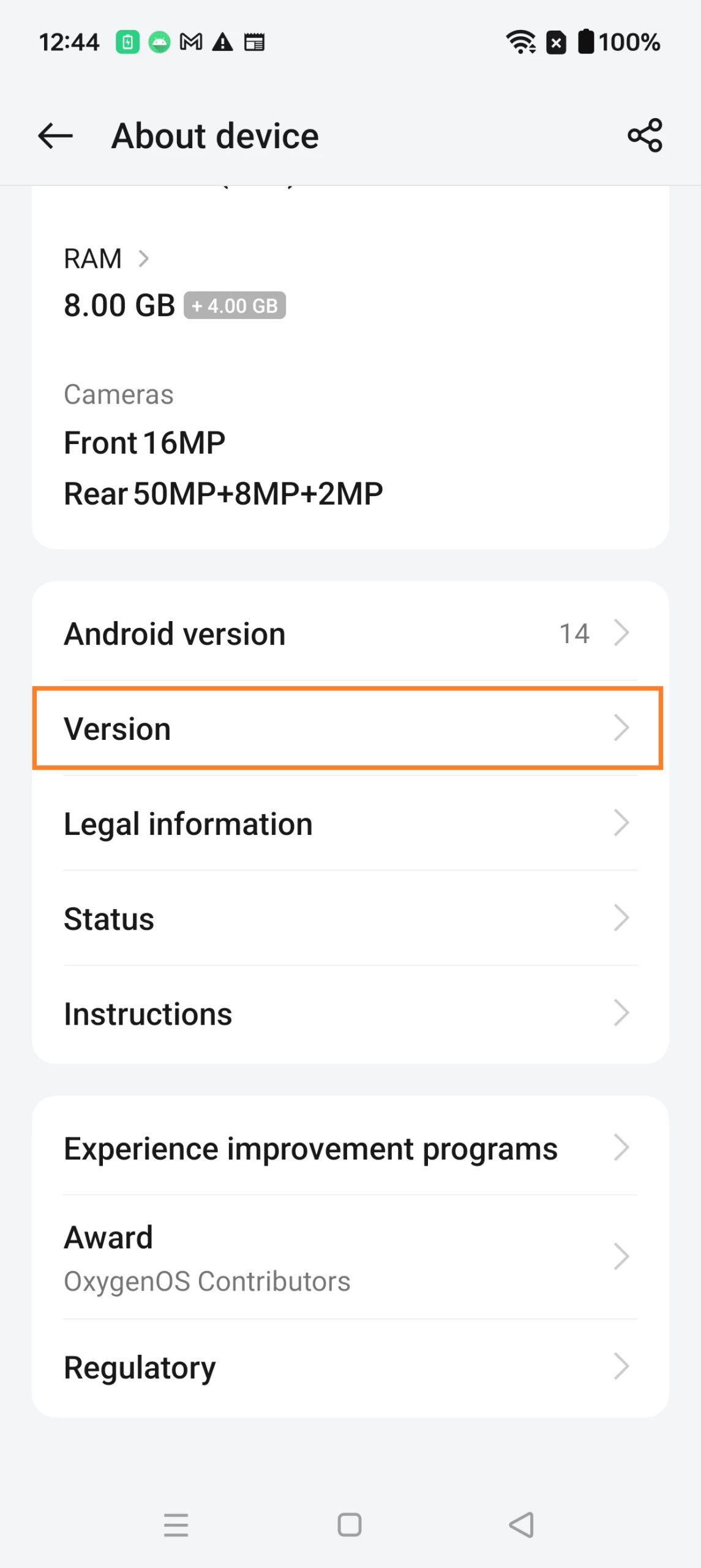
- Go to the “Version” option;
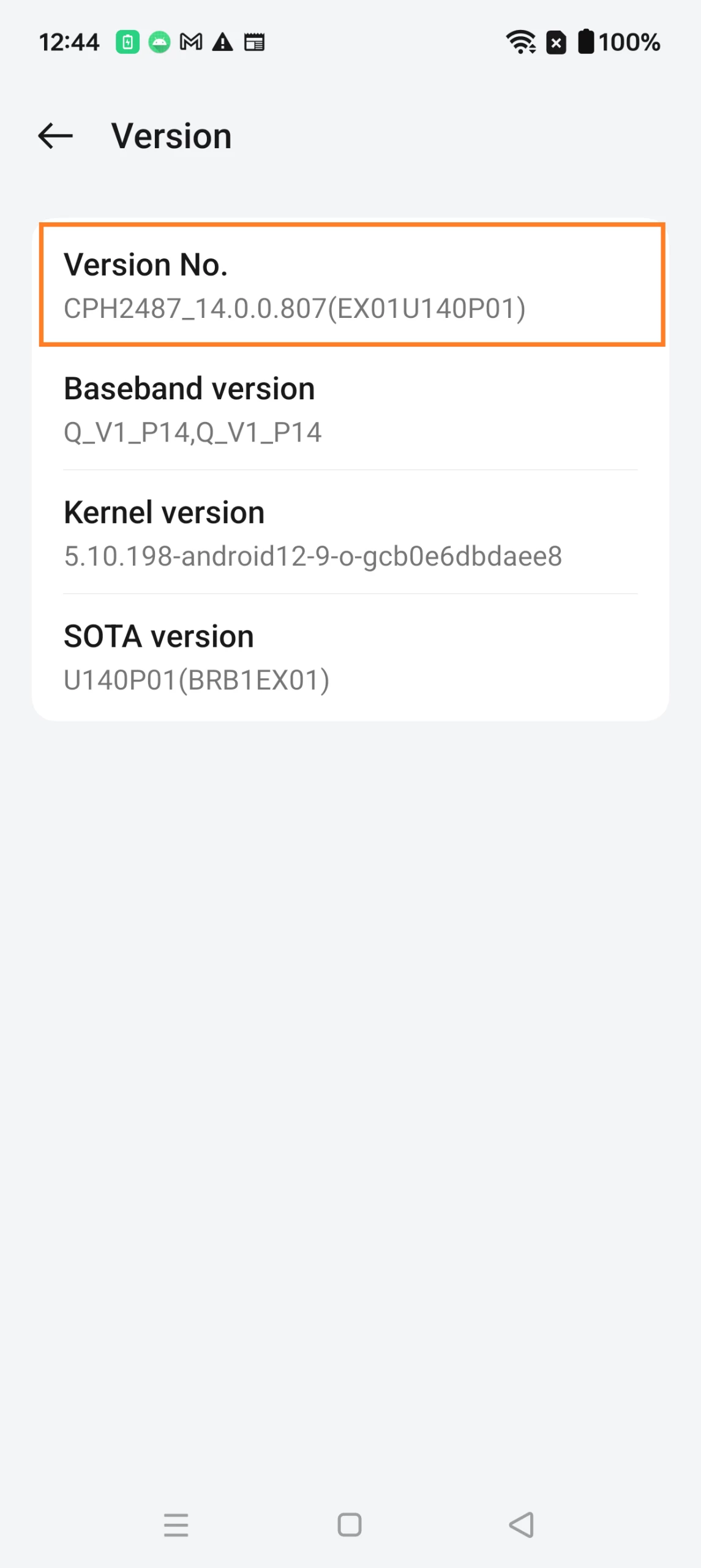
- Find the item “Version Number” and then click on it fast 5-8 times;
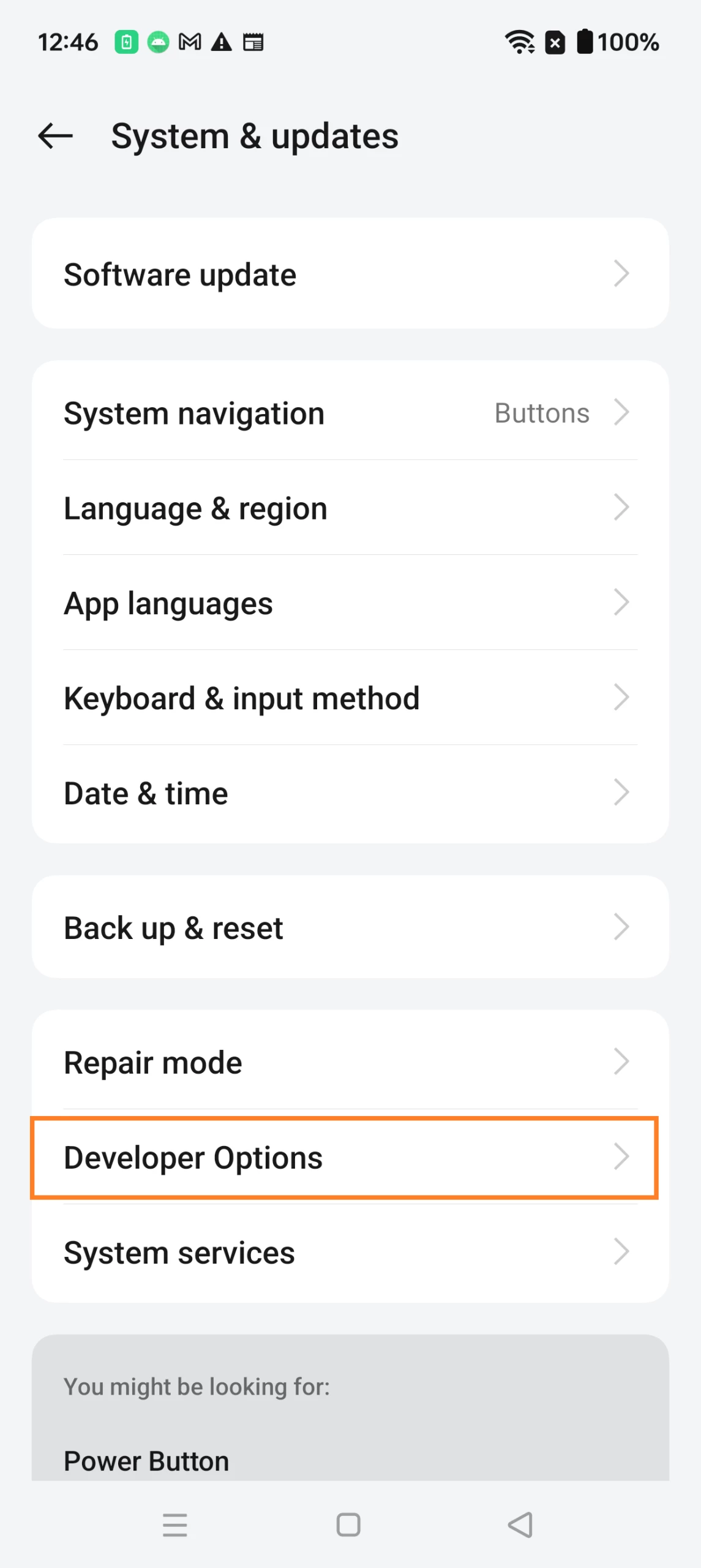
Next, to go to the developer options:
- Open the Settings;
- Go to "System" or "Advanced settings" ;
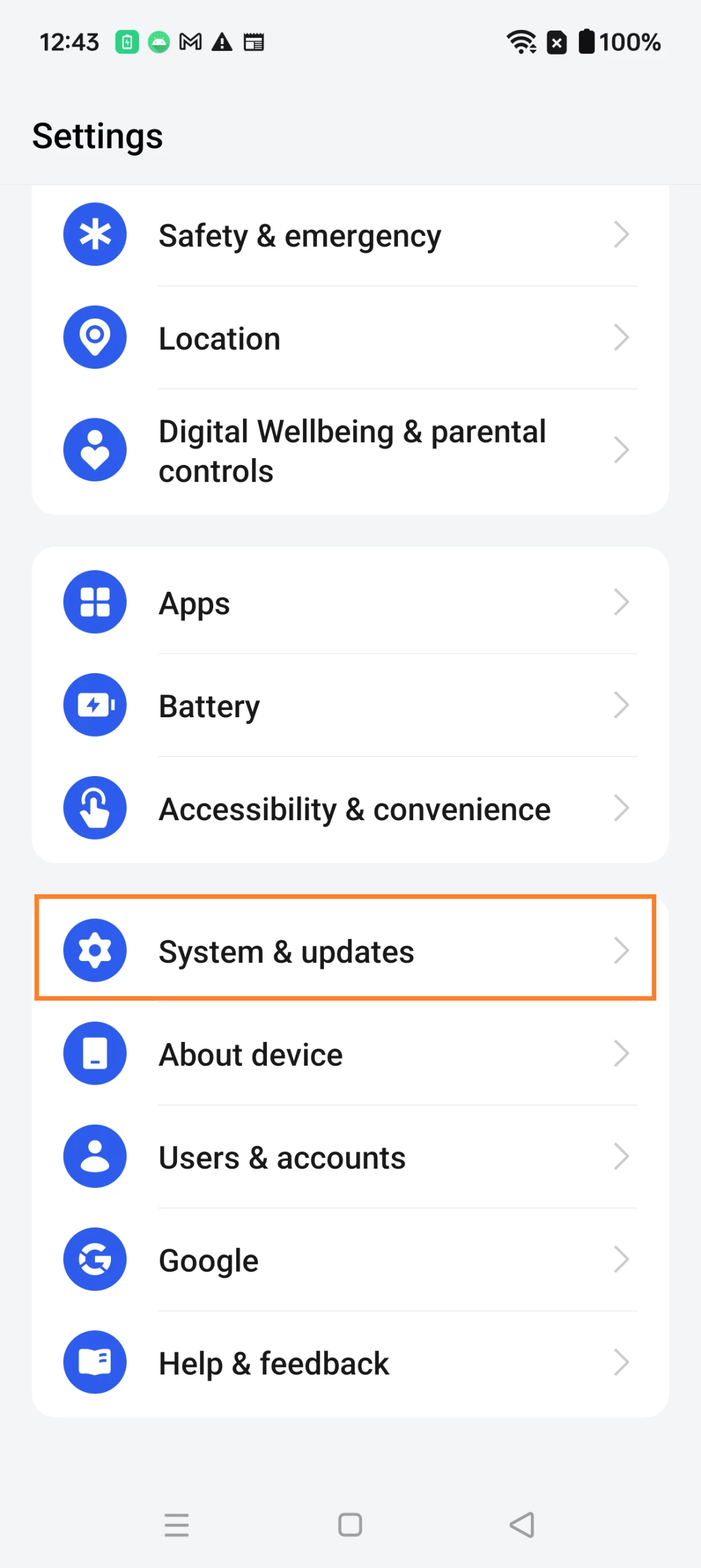
- Click on “Developer Options”.