


Free vs Paid Parental Control Apps: Features, Limits, and When to Upgrade
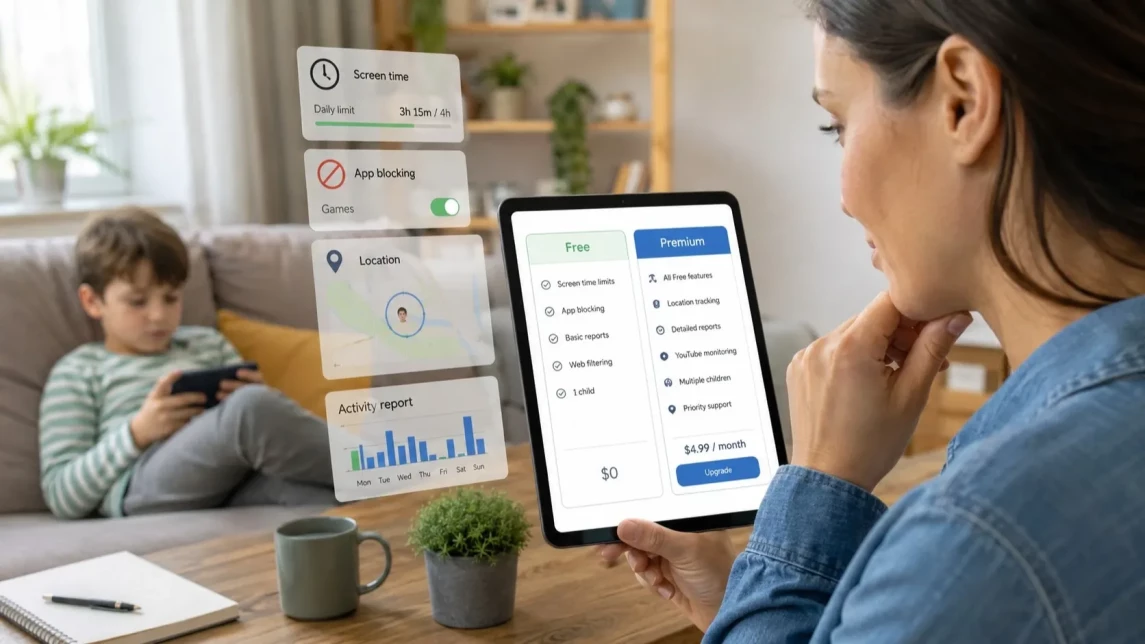
Free parental control apps are usually enough for basic needs, such as screen time limits, app approvals, and simple content restrictions. Paid parental control apps become more useful when families need flexible schedules, more precise app blocking, geofencing, detailed reports, or support for multiple children and mixed Android and iPhone devices.
This guide compares free and paid parental control apps by features, limits, device support, safety tools, and upgrade signals, so parents can choose the right level of control for their child’s age and family setup.


Free vs Paid Parental Control Apps: Quick Comparison
The main difference between free and paid parental control apps is flexibility. Free tools usually cover basic needs, while paid apps are more useful when parents need custom schedules, clearer reports, more flexible app blocking, location alerts, or support for multiple children and devices.
In practice, the differences usually look like this:
- Screen time: free tools offer basic daily limits, while paid apps allow flexible schedules for school, bedtime, weekends, and different children.
- Apps and content: free tools may provide app approvals or simple content filters, while paid apps usually offer more selective app blocking, web control, and category-based rules.
- Location safety: free tools may show basic location information, while paid apps can add geofences, alerts, and more timely location updates.
- Reports: free tools often show limited summaries, while paid apps provide clearer reports on screen time, app usage, and device activity.
- Device management: free tools are often tied to one ecosystem, while paid apps can be more practical for families using both Android and iPhone or managing several children.
- Extra safety tools: free tools usually have limited additional features, while paid apps may include YouTube activity control, screenshots, or sound around the device, depending on platform support and permissions.
What Free Parental Control Apps Usually Include
Free parental control features are typically built into Android or iOS devices or bundled with popular ecosystems. These tools offer straightforward controls that suit many families, especially with younger children. They work well for basic rules, but their limits become more visible as children get older or use devices more independently.
Google Family Link for Android
Google Family Link is a common starting point for families using Android devices. It helps parents set screen time limits, approve or block apps, manage app permissions, restrict some Google services, and track a child's location. Its easy integration and no-cost usage make it appealing, but it may lack flexibility for more complex needs.
Apple Screen Time for iPhone
Apple Screen Time is the core parental control for iPhone and iPad users. It offers app limits, downtime scheduling, content and purchase restrictions, privacy configurations, and overall screen time management. It is enough for many basic iPhone parental control needs, but it may feel limited when parents need more detailed reports, cross-platform control, or more flexible app blocking.
Other Free Parental Control Options
Besides the built-in tools, Microsoft Family Safety can also be useful for some families, especially those already using Microsoft accounts and devices. Browser-specific restrictions and router-level filters provide additional layers, while some paid apps have limited free plans offering basic access. These options complement device settings but often do not fully replace dedicated apps.
The Main Limits of Free Parental Control Apps
While free tools suit many families, real-world challenges expose their limits:
- Mixed Device Families: Free tools usually support either Android or iPhone, not both together.
- Flexible Blocking: App blocking is often rigid or minimal, lacking category-level filters or schedules.
- Reports: Activity insights are often limited, which can make it harder to understand how a child uses the device.
- Multiple Children and Devices: Managing more than one child’s devices can be cumbersome or unsupported.
- Bypass Protection: Older or tech-savvy children may find ways around simple restrictions.
- Advanced Safety Features: Tools such as screenshots, sound around the device, or YouTube activity control are usually limited or unavailable in free tools.
This does not undervalue free parental controls: they effectively cover many basic scenarios but may fall short as children use devices independently or families require detailed oversight.
What Paid Parental Control Apps Add
Paid parental control apps usually offer more flexibility than built-in tools. Parents can create custom schedules, block specific apps, set rules for school days or bedtime, receive location alerts, and review more detailed usage reports.
For example, Kroha is a dedicated parental control app for families that need more than basic Android or iPhone settings. It can help with screen time limits, app blocking, web control, location tracking, YouTube activity control, usage reports, and additional safety tools, depending on the child’s device and available permissions.
Features such as YouTube activity control, screenshots, or sound around the device can be useful in specific situations, but they should be used responsibly, transparently, and according to the child’s age and family rules.
When Free Parental Controls May Be Enough
A free solution fits well for families where:
- The child is young and less likely to challenge limits.
- Screen time boundaries and simple app approvals suffice.
- The household uses a uniform platform (all Android or all iPhone).
- No need exists for geofencing, complex schedules, or detailed reports.
- Parents prefer hands-on, manual rule management.
- The child is cooperative and not trying to bypass controls.
In these cases, free tools may be a reasonable first step before moving to a more advanced solution.
When to Upgrade to a Paid Parental Control App
Consider upgrading if:
- Children frequently use their devices at inappropriate times, such as late at night.
- Simple screen time or app limits no longer curb unwanted behavior.
- Kids bypass free controls, requiring stronger enforcement.
- Parents want to block specific apps or content categories.
- Location alerts, geofencing, and timely safety updates are important.
- The family has multiple children or a mix of Android and iPhone devices.
- Detailed usage reports are needed to understand phone activity clearly.
- Additional safety tools are needed for specific situations and can be used responsibly and transparently.
In these situations, a dedicated app like Kroha can be a practical option because it brings several parental control tools into one place, especially for families managing multiple devices or more complex rules.
Android vs iPhone: What Works Better for Free and Paid Parental Control?
Android families often start with Google Family Link, while iPhone users rely on Apple Screen Time for free options. Each platform’s integrated tool offers solid basics but is limited to its own ecosystem.
Mixed-device households or parents desiring advanced controls frequently turn to paid apps that support both Android and iPhone in one place. This unified approach simplifies rule management and provides added features unavailable in platform-only tools.
How to Choose the Right Parental Control App for Your Family
Choosing the best app depends on several factors:
- Child’s Age: Younger children may need less complex controls.
- Device Type: Android, iPhone, or a combination affects tool compatibility.
- Number of Children and Devices: More kids or devices call for better multi-device management.
- Required Features: Screen time limits, app blocking, web filtering, location tracking, and reports vary in importance per family.
- Parental Involvement: Willingness to manually set and manage rules versus preferring automation.
- Child’s Tech Savviness: Some children attempt to bypass controls, requiring stronger protections.
- Privacy and Family Values: Choose solutions that align with transparency and local privacy laws.
How Kroha Helps When Free Tools Are Not Enough
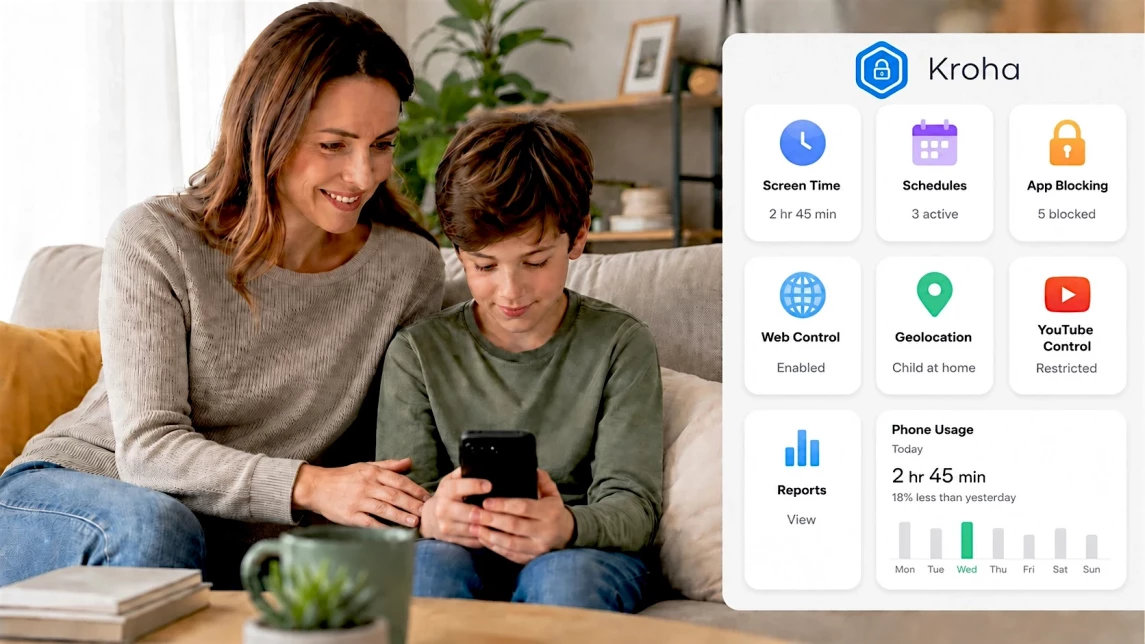
Kroha is a parental control app for families that need more flexible rules than the basic tools built into Android or iPhone. It brings several parental control tools into one place:
- Screen time management with flexible schedules.
- App blocking based on the child’s profile and daily routine.
- Web control and content filtering.
- Location tracking with geofencing and location alerts.
- Phone usage reports that help parents understand device activity.
- YouTube activity control.
- Additional safety tools, such as screenshots or sound around the device, depending on platform support and permissions.
Kroha can be especially practical for mixed-device households or families managing several children. As with any parental control tool, the best results come when technical limits are combined with clear family rules, transparency, and age-appropriate privacy.
Helpful Guides for Additional Child Safety
After choosing a parental control app, it is important to understand which features can help in real-life situations: when a child does not answer calls, is in an unfamiliar place, or when parents need to quickly assess possible risks. These guides explain how to use advanced parental control tools responsibly, without putting unnecessary pressure on the child:
Learn how to check your child’s location, use geofences, and set up alerts without turning location tracking into constant control.
A practical guide on how visual safety tools can help parents better understand a situation and respond faster when there are signs of risk.
An explanation of when sound monitoring can be useful, how it works, and why it should be used carefully, with respect for the child’s age and family rules.
Final Verdict: Free or Paid — What Should Parents Choose?
Free parental control apps are a good starting point, especially for younger children and families using one ecosystem, such as only Android or only iPhone. They can cover basic screen time limits, app approvals, simple content filters, and some location features.
Paid parental control apps become more useful when a family needs flexible schedules, more precise app blocking, geofencing, detailed reports, multi-child management, mixed-device support, or additional safety tools. A dedicated app like Kroha can help in these situations by combining several controls in one place.
The right choice depends on the child’s age, device type, risk level, and how much structure your family needs. The goal is not to control every action, but to create safer, clearer, and more consistent digital rules.
Free vs Paid Parental Control Apps: FAQ
Are free parental control apps enough?
Free parental control apps can be enough for basic needs, such as screen time limits, app approvals, simple content filters, and basic location features. They work best for younger children or families using one device ecosystem.
What is the best free parental control app for Android?
Google Family Link is one of the most common free parental control tools for Android. It helps parents set screen time limits, approve apps, manage some account settings, and use basic location features.
Is Apple Screen Time enough for iPhone parental control?
Apple Screen Time is enough for many basic iPhone parental control needs, including app limits, downtime, content restrictions, and purchase controls. If parents need detailed reports, cross-platform control, or more flexible app blocking, a dedicated parental control app may be useful.
When should parents upgrade to a paid parental control app?
Parents may want to upgrade when basic tools no longer fit the family’s needs. Common reasons include bypass attempts, late-night phone use, multiple children, mixed Android and iPhone devices, detailed reports, geofencing, or more flexible app blocking.
Can parental control apps be used without spying on children?
Yes. Parental control works best when parents explain the rules, use age-appropriate limits, and avoid hidden monitoring. The goal should be safety, structure, and trust — not constant surveillance.
Recent articles

Instagram Parental Control & Message Tracking Guide
Instagram remains one of the most popular platforms among children and teens. Its visual nature, viral trends, and influencer culture make it especially appealing to younger users. With millions of active users worldwide, Instagram provides a space for creativity, self-expression, and social interaction. However, this popularity also brings significant challenges for parents concerned about their children's safety and well-being online.
In an age where digital presence is increasingly integral to social life, ensuring that children navigate Instagram safely is paramount. This article aims to help parents monitor and limit their child’s Instagram activity using built-in tools and advanced solutions like the Kroha app. By understanding the risks and utilizing effective parental control applications, parents can create a safer online environment for their children.


When Should a Child Get Their First Phone?
Many parents ask the same question: When is the right time to give a child their first phone? There is no universal age that works for every family. Some children are ready at 9, while others may need to wait until 12 or older.
The decision depends less on age and more on maturity, responsibility, and the reason a phone is needed. Whether your child wants a device for school, staying in touch with friends, or greater independence, setting expectations from the beginning is essential.
In this guide, you'll learn how to assess smartphone readiness, choose an age-appropriate device, and establish healthy rules that balance independence with online safety.