


What Parents Should Know About Short-Form Video Addiction
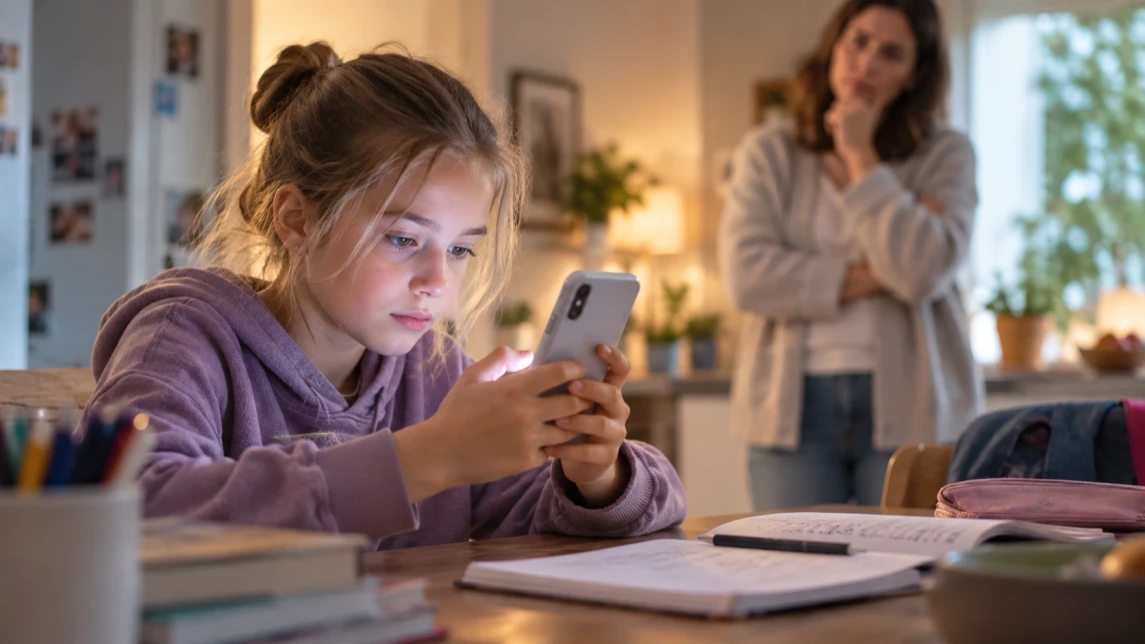
Short-form video feeds on platforms like YouTube and TikTok make it easy to move from one video to the next, so children may spend more time watching than they intended. When this starts interfering with sleep, homework, physical activity, or family time, parents may need to take a closer look at their child’s viewing habits.
Understanding why short videos are so engaging and recognizing signs of problematic use can help parents respond before viewing begins to interfere with everyday life. Clear family rules, screen-time settings, and parental control tools like Kroha can support healthier routines without treating every period of heavy use as an addiction.


When Does Short-Form Video Use Become a Problem?
Short-form video use becomes concerning when a child repeatedly struggles to stop and viewing begins to interfere with sleep, schoolwork, physical activity, relationships, or other parts of daily life. Spending a lot of time on TikTok or YouTube Shorts does not by itself prove addiction.
The World Health Organization uses the term problematic social media use for patterns that involve difficulty controlling use and negative consequences in everyday life. The most useful signs for parents are not a specific number of minutes, but whether short-form video use is becoming difficult to manage and starting to crowd out important activities.
Why Short-Form Videos Can Be Hard to Stop Watching
Many parents notice their children glued to apps such as YouTube Shorts or TikTok, often longer than expected. These platforms use rapid, bite-sized videos that play one after another, making it difficult for kids to stop watching. The short format and continuous feed can make it easy to keep watching without a natural stopping point.
Why can short videos be so difficult to put down? Each swipe brings something new, while recommendation systems use signals such as watch history, viewing time, likes, skips, and other interactions to personalize what appears next. This can make it easy to lose track of time and turn occasional viewing into a habit that begins to compete with other daily activities.
Recognizing patterns of problematic use can help you respond before short-form video viewing begins to interfere with everyday life. Instead of relying only on blanket bans, consider combining clear limits with conversations about why those limits are needed.
Signs of Problematic Social Media Use
No single behavior proves that a child is addicted to short-form videos. The American Psychological Association highlights signs such as difficulty stopping, repeatedly spending more time on social media than intended, and media use interfering with necessary tasks or everyday routines. The American Academy of Pediatrics also points to warning signs such as irritability without media, interference with sleep or exercise, problems with grades or family activities, and media becoming a child’s main source of enjoyment.
- Regularly watching for much longer than intended or agreed.
- Putting off homework, chores, sleep, or other responsibilities to keep watching.
- Finding it difficult to stop even after being reminded or reaching an agreed limit.
- Frequently becoming upset when viewing time ends.
- Staying up late to watch videos or using a device when they are supposed to be sleeping.
- Losing interest in activities they previously enjoyed.
If several of these patterns persist and begin to affect daily life, it may be time to review your family’s screen-time rules and talk with your child about what is driving the behavior.
Research also suggests a link between problematic short-form video use and sleep. A 2024 study of 1,629 adolescents found that higher short-form video addiction scores were associated with poorer sleep quality and higher social anxiety. Because the study was cross-sectional, the findings show an association rather than proving that short-form videos directly caused the sleep problems.

Why Limits Work Better With Communication
When parents notice excessive short-form video use, the first reaction may be to remove the device or ban the app. Limits can be necessary, but they tend to work better when children understand why the rules exist and know what is expected of them.
The American Academy of Pediatrics recommends combining media limits with regular family communication and involving children and teens in age-appropriate rule-setting. Instead of relying only on restrictions, use viewing patterns as a starting point for discussing sleep, homework, family time, and other priorities.
How Parents Can Set Healthy Limits on Short-Form Video Use
Using Kroha to Manage App Usage and Screen Time
Kroha can help you see how much time your child spends in different apps. On supported Android devices, app-usage statistics can provide a clearer picture of which apps take up the most screen time and when limits may be useful.
You can then set limits for specific apps or restrict access during periods such as homework time or bedtime. Scheduled screen-free periods can also help protect regular routines around sleep, study, and family time.
These controls can also provide a starting point for conversations. Reviewing screen-time patterns together can make it easier to discuss which limits are reasonable and why they are needed.
Available features can vary by device, operating system, permissions, and setup.
Balancing Limits and Dialogue
The goal is to combine appropriate supervision with growing independence. Explain why limits matter and invite your child to take part in setting them. For example, you can agree on different rules for weekdays and weekends and review them as your child becomes more responsible.
Make room for activities that compete naturally with scrolling, such as sports, hobbies, time outdoors, or family activities.
App Blocking Options on Devices
How to Block Apps on iPhone
The iPhone Screen Time feature allows you to restrict app use by setting daily limits or using Downtime schedules. You can specifically target apps like YouTube or TikTok, setting time caps or blocking access during certain hours.
How to Block Apps on Android
Android includes Digital Wellbeing features such as app timers and Focus mode. Depending on the device and your family’s needs, you can also use parental control tools to manage app access, screen time, and other settings.
Managing Screen Time Habits Effectively
Technical controls can help, but they work best alongside consistent routines. Pay attention to when your child is most likely to keep scrolling—for example, when they are bored, avoiding homework, or using their phone before bed.
Broader evidence points in the same direction: a 2025 umbrella review covering 127 studies and 867,003 participants found that digital device use—especially problematic social media and internet use—was associated with delayed bedtimes, shorter sleep duration, and poorer sleep quality in adolescents.
Setting clear expectations around device use during family meals, before sleep, and while doing homework reinforces healthy habits. Use app-blocking schedules as reminders, not just barriers.
Regular check-ins about your child’s experiences with videos and social media can help you adjust the rules as they grow and become more independent.
More Ways to Support Healthy Digital Habits
Short-form video overuse is often connected to other digital habits, such as excessive screen time, conflicts over phone rules, or exposure to inappropriate content. These guides can help parents set clearer boundaries and support safer, more balanced device use.
How to Talk to a Teenager About Parental Controls Without Starting a Fight
Learn how to discuss parental controls and phone rules with your teenager in a way that reduces conflict and helps them understand why certain limits are necessary.
How to Limit Your Child’s Screen Time on Android and iOS
See how to set screen-time limits on Android and iPhone and create healthier boundaries around daily smartphone use.
How to Limit Access to Negative Content on YouTube: Tips for Parents
Explore practical ways to reduce a child’s exposure to inappropriate or harmful YouTube content and make video viewing safer.
FAQ: Short-Form Video Use and Parental Controls
How Can I Tell if My Child’s YouTube Shorts Use Is Becoming a Problem?
Look for repeated patterns rather than a specific number of hours. Warning signs may include difficulty stopping, loss of sleep, neglected responsibilities, frequent conflicts over viewing, or short videos regularly replacing other activities. These signs can indicate problematic use, but they do not by themselves establish an addiction.
How Can I Block Apps Without Creating Unnecessary Conflict?
Explain the reason for the restriction before applying it and, when appropriate, involve your child in setting the rules. Clear expectations and consistent limits can make app restrictions easier to understand, even if your child does not always agree with them.
What’s the Best Way to Block Apps on iPhone?
Use the Screen Time settings to set app limits or schedule Downtime, which temporarily restricts app access during selected periods such as homework time or bedtime.
Can Parental Controls Help With Excessive Short-Form Video Use?
Parental controls can help you track screen time, set app limits, and create periods when certain apps are unavailable. They can support healthier routines, but they work best alongside clear family rules and regular conversations about screen habits.
How Can I Help My Child Develop Healthy Screen Habits?
Set clear device-free times, encourage offline activities, and maintain open communication about their online experiences and feelings.
Are Built-In Screen-Time Tools Enough?
Built-in tools may be enough for basic needs such as setting app limits or scheduling screen-free periods. Families that need additional monitoring or more flexible controls can compare these features with dedicated parental control apps such as Kroha.
Helping Your Child Build Healthier Short-Form Video Habits
If short-form videos regularly interfere with sleep, schoolwork, physical activity, or family time, start by reviewing your child’s screen habits together. Set clear, age-appropriate limits, create screen-free periods, and adjust the rules as your child becomes more independent.
Built-in screen-time settings or parental control tools such as Kroha can help support these boundaries. The longer-term goal, however, is to help your child recognize their own viewing habits and gradually learn to manage screen time independently.
Recent articles

Instagram Parental Control & Message Tracking Guide
Instagram remains one of the most popular platforms among children and teens. Its visual nature, viral trends, and influencer culture make it especially appealing to younger users. With millions of active users worldwide, Instagram provides a space for creativity, self-expression, and social interaction. However, this popularity also brings significant challenges for parents concerned about their children's safety and well-being online.
In an age where digital presence is increasingly integral to social life, ensuring that children navigate Instagram safely is paramount. This article aims to help parents monitor and limit their child’s Instagram activity using built-in tools and advanced solutions like the Kroha app. By understanding the risks and utilizing effective parental control applications, parents can create a safer online environment for their children.


How to Talk to Your Teen About Parental Controls
Talking to a teenager about parental controls can quickly turn into an argument if they feel watched or mistrusted. Parents want to protect their child online, while teens want more privacy and independence.
The goal is to explain why digital boundaries exist, listen to your teen’s concerns, and agree on rules that support safety without turning parental control into punishment.
This guide explains how to start the conversation calmly, respond to resistance, and use tools like Kroha transparently and responsibly.