


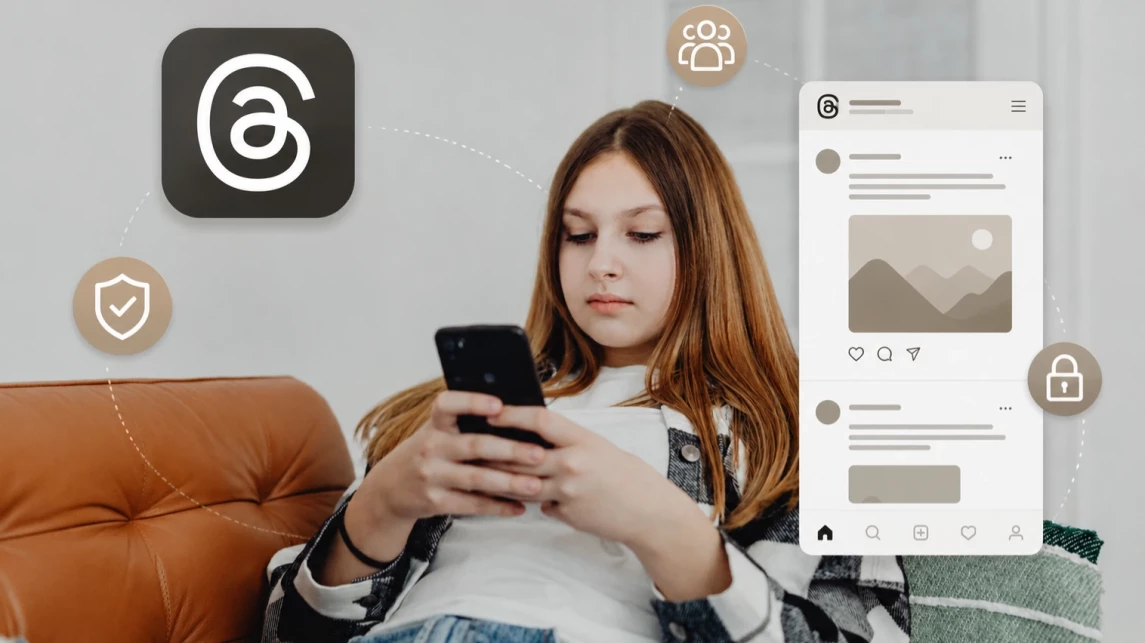
Is Threads Safe for Kids? What Parents Need to Know
Threads is a social media app from Meta built around short posts, replies, public conversations, and interaction with other users. Although Threads is often described as text-focused, posts can also include links, photos, and videos, and the app is closely connected to Instagram.
For parents, the main question is not only whether Threads has a minimum age rating, but whether their child is mature enough to handle public discussions, strangers, recommendations, screen-time pressure, and privacy risks. This article explains what Threads is, what safety concerns parents should know, and how privacy settings, Family Center supervision, family rules, and parental controls like Kroha can help reduce risk.


What Parents Should Know About Threads First
Threads is not a fully risk-free app for kids, especially younger children. It is a social media platform with public conversations, replies, followers, recommendations, trending discussions, and user-generated content. That means a child may encounter inappropriate posts, strangers, cyberbullying, misleading information, or social pressure.
For teens, Threads may be more reasonable only when privacy settings, screen-time limits, family rules, and regular conversations about online behavior are in place. Parents should also be aware that Meta is rolling out parental supervision tools for Threads through Family Center, but these tools should support—not replace—ongoing guidance and device-level parental controls.
What Is Threads and Why Are Teens Interested in It?
Threads is a social media platform from Meta that focuses on short text posts, replies, and ongoing conversations. It is closely connected to Instagram, which makes it easy for users to find familiar accounts and people they already follow.
For teens, Threads can be appealing because it offers a simple way to follow topics they care about, share opinions, react to trends, and join conversations without the same emphasis on photos and videos found on Instagram. The fast-moving feed also makes it easy to discover new posts, creators, memes, and discussions.
Teens may use Threads to:
keep up with friends and people they follow on Instagram;
discuss music, entertainment, games, sports, or other interests;
share thoughts, jokes, and personal opinions;
follow creators and trending topics;
participate in conversations and online communities.
However, the open nature of these conversations means that teens may also encounter people, opinions, or content they would not normally come across in their offline lives. This is one reason parents should understand how Threads works before deciding whether it is appropriate for their child.
Is Threads Safe for Kids?
Threads is not inherently unsafe, but it is not a risk-free environment for children and teenagers either. Whether the platform is appropriate depends on the child's age, maturity, digital skills, privacy settings, and the way they use the app.
Because Threads is a social network, much of the content is created by users rather than the platform itself. This means a child may encounter posts or discussions that are upsetting, misleading, offensive, or inappropriate for their age. Other users may also interact with them directly.
For older teens who understand basic online safety rules, Threads can be used more responsibly with appropriate privacy settings and reasonable limits. Younger users may need more guidance because they can find it harder to recognize manipulation, misleading information, inappropriate conversations, or unhealthy social pressure.
Parents do not necessarily need to prohibit Threads altogether. A better approach is to combine age-appropriate rules, privacy settings, conversations about online behavior, and reasonable limits on screen time. Children should also know that they can come to a parent or another trusted adult if they encounter something uncomfortable or confusing.
Main Threads Safety Risks
The main concerns for parents are similar to those associated with other social media platforms, but the fast pace of public conversations can make some situations harder for children to navigate.
Inappropriate or disturbing content.
Threads contains user-generated posts covering a wide range of subjects. A child may come across offensive language, disturbing discussions, sexual content, or other material that is not appropriate for their age.
Contact with strangers.
Children can encounter people they do not know through public conversations, replies, followers, or other interactions. A stranger may try to start a conversation or encourage the child to move the interaction to another platform. Children should know never to share their address, school, phone number, passwords, location, or other sensitive information with people they do not know.
Cyberbullying and negative interactions.
Public replies and discussions can expose children to insults, ridicule, harassment, or pressure from peers. Even seemingly minor comments can become stressful when they happen repeatedly or in front of a larger audience.
Peer pressure and social comparison.
Following popular creators and participating in trending discussions can create pressure to respond, post, or keep up with others. For some teens, this may affect their mood or confidence.
Excessive screen time.
A constantly updated feed can encourage frequent checking and scrolling. If Threads begins to interfere with sleep, schoolwork, physical activity, hobbies, or family time, it may be time to introduce clearer limits.
The safest approach is therefore not simply to monitor whether a child uses Threads, but to help them understand what can go wrong, how to recognize warning signs, and what to do when something feels unsafe.
How to Keep Your Child Safer on Threads
Start with simple rules that your child can understand and follow. Encourage them to keep personal information private, avoid accepting requests or engaging with people they do not know, and block or report accounts that make them uncomfortable.
Talk regularly about what they see and experience on Threads. Make it clear that they can come to you if they receive an upsetting message, encounter inappropriate content, or feel pressured by someone online. Open communication is often more effective than checking every interaction.

Parental Controls for Threads
Built-in Threads Safety Settings and Family Center Supervision
Start with the privacy and safety settings available in Threads. These may include controls for who can interact with your child, who can reply or mention them, blocked accounts, hidden words, sensitive content settings, and other tools that can reduce unwanted contact.
Meta is also rolling out parental supervision for Threads through Family Center. When supervision is available and set up, parents may be able to view their teen’s time spent on Threads, set daily time limits, adjust sleep mode, and manage selected privacy settings.
These tools are useful, but they do not replace conversations about strangers, public discussions, cyberbullying, privacy, and healthy screen time. Built-in settings work best when they are combined with clear family rules and device-level limits.
Screen Time
Set reasonable limits for social media use so Threads does not interfere with sleep, school, exercise, hobbies, or family time. Both iOS and Android include built-in tools for limiting app usage.
The best results usually come from combining technical limits with clear family agreements about when and where devices can be used.
How Kroha Can Help Manage Threads
Kroha can add device-level control alongside Threads settings and Meta Family Center. This is useful when parents want to manage not only privacy inside Threads, but also how much time their child spends in the app and whether access should be limited at certain times.
With Kroha, parents can:
- set screen-time limits for Threads and other social media apps;
- create schedules for device or app use;
- block or restrict access to Threads when needed, depending on the child’s device, operating system, permissions, and setup;
- review app usage to notice when social media use is increasing;
- use web filtering to reduce access to unwanted websites on supported devices.
Kroha should not be used as a substitute for conversation. It works best as a support tool for family rules about screen time, privacy, and age-appropriate social media use.
Threads Safety: Answers to Parents’ Top Questions
Is Threads safe for children?
Threads is not inherently unsafe, but children can encounter inappropriate content, strangers, cyberbullying, and excessive screen time. Age, maturity, privacy settings, and family guidance all matter.
How can I limit my child's time on Threads?
Use the screen-time controls built into iOS or Android, or a parental control app such as Kroha to set daily limits and schedules.
Can children communicate with strangers on Threads?
They may encounter and interact with people they do not know. Teach your child not to share personal information and to block or report suspicious accounts.
What age can children use Threads?
Threads is generally aimed at users 13 and older, and Apple currently lists the app as 13+ with in-app controls. However, meeting the minimum age requirement does not automatically mean a child is ready for social media. Parents should also consider maturity, privacy awareness, ability to handle strangers or public comments, and whether the child can follow family rules for screen time and online behavior.
Does Threads have parental controls?
Meta is rolling out parental supervision for Threads through Family Center. Depending on availability and setup, parents may be able to view their teen’s time spent on Threads, set daily limits, adjust sleep mode, and manage selected privacy settings. These tools are helpful, but they should be combined with conversations, privacy rules, and device-level limits.
Can parents block or restrict Threads on a child’s phone?
Yes. Parents can use built-in iOS or Android tools, or a parental control app such as Kroha, to limit screen time, set schedules, or restrict access to Threads. Available controls can vary depending on the device, operating system, permissions, and setup.
More Resources for Parents
Threads safety is only one part of building healthy digital habits at home. These guides can help you set device rules, configure parental controls, and talk to your teenager about online boundaries without unnecessary conflict.
- How to Talk to a Teenager About Parental Controls Without Starting a Fight
- How to Set Up Parental Control on Your Child’s Phone: A Complete Guide for Android and iOS
- Family Tech Rules: Meals, Mornings, Weekends, and Device-Free Zones
Conclusion: Is Threads Right for Your Child?
Threads can be a reasonable part of a teenager’s digital life when they understand the risks and know how to use the platform safely. Privacy settings, screen-time limits, and clear family rules can reduce unwanted interactions and help prevent social media from taking over their daily routine.
Rather than relying on monitoring alone, combine parental controls with regular conversations about privacy, online behavior, and situations that may feel uncomfortable. Tools such as Kroha can support these agreements while giving your child room to develop greater independence online.
Recent articles

Instagram Parental Control & Message Tracking Guide
Instagram remains one of the most popular platforms among children and teens. Its visual nature, viral trends, and influencer culture make it especially appealing to younger users. With millions of active users worldwide, Instagram provides a space for creativity, self-expression, and social interaction. However, this popularity also brings significant challenges for parents concerned about their children's safety and well-being online.
In an age where digital presence is increasingly integral to social life, ensuring that children navigate Instagram safely is paramount. This article aims to help parents monitor and limit their child’s Instagram activity using built-in tools and advanced solutions like the Kroha app. By understanding the risks and utilizing effective parental control applications, parents can create a safer online environment for their children.


How to Talk to Your Teen About Parental Controls
Talking to a teenager about parental controls can quickly turn into an argument if they feel watched or mistrusted. Parents want to protect their child online, while teens want more privacy and independence.
The goal is to explain why digital boundaries exist, listen to your teen’s concerns, and agree on rules that support safety without turning parental control into punishment.
This guide explains how to start the conversation calmly, respond to resistance, and use tools like Kroha transparently and responsibly.