


Is Talkie AI Safe for Kids? A Parent’s Guide to Talkie AI
Talkie AI is more than a simple character chatbot. It combines AI conversations, role-playing, user-generated content, community features, virtual rewards, and paid upgrades across web and mobile apps.
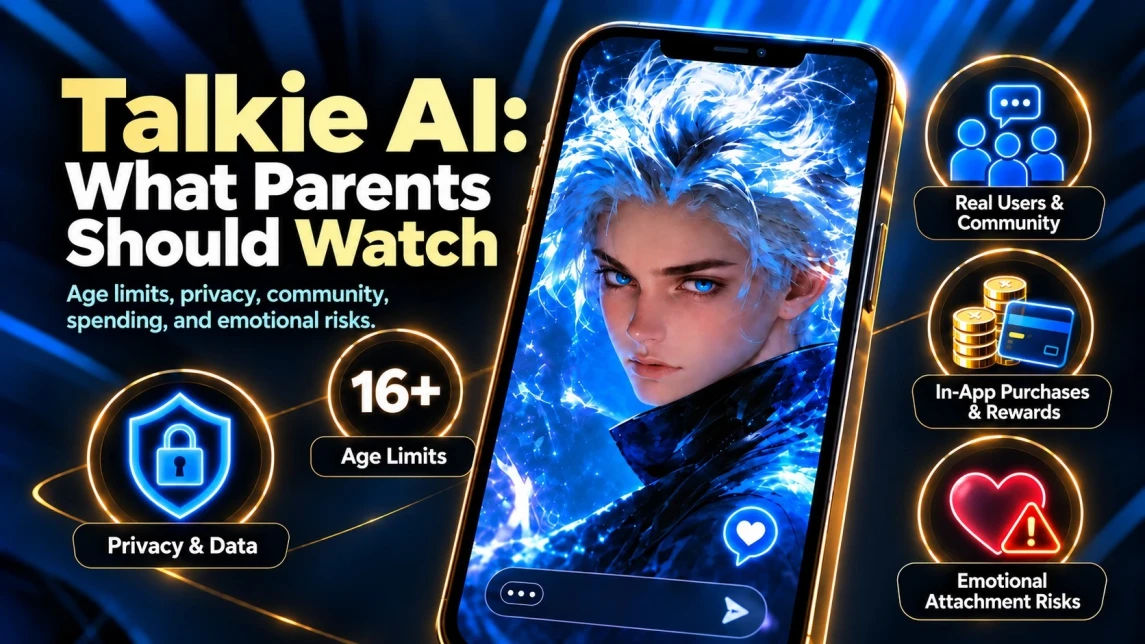
Under Talkie’s current Terms, children under 16 should not use the service. Both current U.S. app-store listings are rated 18+. For older teens, parents should also consider Talkie’s parental-permission rules, privacy, real-user interaction, inaccurate AI responses, emotional attachment, spending, and screen time.
So, is Talkie AI safe for kids?


Talkie AI Safety: The Short Answer for Parents
Talkie should not be used by children under 16 under its current Terms of Service.
For teenagers aged 16 or 17, parents should review Talkie’s current parental-permission wording. Both current U.S. app-store listings are rated 18+, so meeting Talkie’s contractual minimum age does not automatically mean the app-store version is age-appropriate.
An app-store content rating and a service’s minimum account age are not the same thing.
Parents should also know that Talkie:
- includes community features where users may interact with real people as well as AI characters;
- processes text and voice messages used in conversations;
- includes user-generated content, virtual rewards, advertising, subscriptions, and in-app purchases;
- uses moderation and safety systems, but these cannot guarantee that every interaction will be appropriate for a teenager.
For any teenager, parents should check both the minimum age that applies in their country and the age rating of the exact Talkie version available on the child’s device.
Independent child-safety guidance is also more cautious than Talkie’s minimum account age. Common Sense Media currently recommends that children and teens under 18 not use AI companions for companionship, emotional support, or mental-health advice.
What Is Talkie AI?
Talkie AI is built around conversations and creative experiences with AI-generated characters.
Users can explore characters, role-play fictional situations, create their own Talkies, search community content, and use features such as Memory. The current website includes dedicated sections for Discover, Search, Community, Memory, and character creation.
Talkie’s official FAQ describes the platform as a combination of AI conversations, role-playing, and collectible-card mechanics. Users can earn card rewards through conversations, trade cards with other users, and spend virtual currency on additional rewards.
That makes Talkie different from a basic question-and-answer assistant. A Talkie AI chat might be interactive fiction, entertainment, character role-play, or an ongoing personalized conversation.
What happened to Talkie Soulful AI?
Many people still find the platform by searching for Talkie Soulful AI, AI Talkie, or Talkie Soulful AI online.
Those phrases mostly come from earlier branding and older app-store listings. The service has since moved toward the Talkie and Talkie Lab names and now presents itself more broadly as a platform for AI characters, creativity, and community interaction.
The basic concept remains familiar: users talk to AI personalities. But describing today’s Talkie Soulful AI as nothing more than a “digital companion chatbot” leaves out the creation tools, community features, social elements, and monetization now built into the service.
Talkie AI on Android vs iPhone: Why Parents May See Different Apps
One detail many older Talkie AI reviews miss is that the current Android and iPhone listings no longer look the same.
| Platform |
Current listing |
Store age rating |
Notable store disclosures |
| Android — U.S. Google Play |
Talkie: Creative AI Community |
18+ | Sexual Themes, Users Interact, In-App Purchases, ads |
| iPhone — U.S. App Store |
Talkie Lab – AI Playground |
18+ | Messaging and Chat, User-Generated Content, Social Media, Advertising, Loot Boxes, Age Assurance, Parental Controls, In-App Controls |
Both current U.S. app-store listings rate Talkie at 18+. These store ratings are separate from the minimum service age stated in Talkie’s Terms.
For parents, that distinction matters: the Terms define who may use the service, while app-store ratings reflect the age suitability of the specific app version. A 16- or 17-year-old may meet Talkie’s contractual minimum age but still fall below the 18+ rating shown in the U.S. app stores.
Parents should therefore check both the current Terms and the age rating shown for the exact Talkie app available on their child’s device.
What Can Users Do on Talkie AI?
Character chat remains at the heart of Talkie. Users choose an AI persona and continue a conversation in which responses are shaped by the character, scenario, and previous context.
Beyond chat, Talkie can include:
- AI character creation;
- fictional role-playing and interactive stories;
- AI-generated images, video, audio, and music;
- characters and scenarios created by the community;
- public community activity;
- Memory and personalization;
- collectible cards and virtual rewards;
- paid subscriptions, advertisements, and virtual currency.
Talkie’s FAQ also says the characters are generated by AI rather than by humans secretly responding behind the scenes.
That distinction is worth making clear to younger users. A character may sound affectionate, jealous, angry, romantic, worried, or supportive. Those reactions do not mean there is a real person or conscious being behind the conversation.
Can You Talk to Real People on Talkie AI?
Yes. Talkie is not limited to one person talking privately with an AI character.
The eSafety Commissioner describes Talkie as a service where users can chat with both other people and AI characters. Google Play labels the Android app with Users Interact, while Apple lists Messaging and Chat and Social Media among the features of the current iOS app.
The distinction matters.
According to Talkie’s FAQ, replies inside a private character conversation are generated by AI. Community areas, comments, creator activity, shared content, and other social features can involve real people.
Parents should therefore discuss both AI safety and the usual rules around strangers and privacy online with any teenager using Talkie.
How Old Do You Have to Be to Use Talkie AI?
There is no single age number that describes every part of Talkie.
Talkie’s minimum service age and the content ratings assigned by app stores serve different purposes.
What Talkie’s current Terms of Service say
Talkie’s current Terms state:
“These Services do not address anyone under the age of 16.”
The Terms also state that users who are “above 16 but under 18” need permission from a parent or legal guardian.
This gives parents one clear rule: children under 16 do not meet Talkie’s minimum service age. The parental-permission wording is less precise for users who are exactly 16, so parents of 16- or 17-year-olds should review the current Terms directly.
Australia’s eSafety Commissioner also lists Talkie as 16+ according to Talkie.
Why some pages still say Talkie is 14+
Parents may still encounter a separate Talkie-hosted Terms page that lists a general minimum age of 14, with higher minimum ages of 15 or 16 in certain countries.
However, Talkie’s current main Terms page, last updated October 21, 2025, states that the service does not address anyone under 16 and includes a parental-permission requirement for users described as “above 16 but under 18.”
Because conflicting age information can remain accessible online, parents should check the current Terms linked from the Talkie service they are using.
Talkie age requirement vs app-store rating
Talkie’s minimum service age and an app store’s age rating are not the same thing.
At present:
- Talkie’s current Terms exclude users under 16 and include a parental-permission requirement for users described as “above 16 but under 18.”
- U.S. Google Play rates Talkie: Creative AI Community as 18+.
- The current U.S. App Store rates Talkie Lab – AI Playground as 18+.
A teenager can therefore meet Talkie’s contractual minimum age while still being below the age rating shown by a particular app store.
Parents should check both the current Terms and the rating of the exact Talkie version available on their teenager’s device.
What age should parents use?
Parents should check two things:
1. the minimum age that applies to Talkie in their country; and
2. the age rating of the exact app version available on the teenager’s device.
If those requirements differ, using the stricter age threshold is the clearest practical approach.
It is also important to separate minimum eligibility from safety. Meeting Talkie’s minimum account age does not automatically mean that an AI companion is developmentally appropriate for a teenager. Common Sense Media currently recommends that children and teens under 18 not use AI companions for companionship, emotional support, or mental-health advice.
📥 Block AI Chatbot Apps on Android with Kroha
📥 Set Up Kroha Parental Controls for iPhone
Does Talkie AI Allow NSFW Content?
Officially, Talkie does not describe itself as an unrestricted NSFW chatbot.
Its FAQ says pornographic and violent material is prohibited. The Community Guidelines also ban explicit sexual content, sexualization of minors, harmful material involving minors, harassment, dangerous behavior, promotion of self-harm, and other categories of harmful content.
The important distinction is between what the rules prohibit and what users may still encounter in practice.
Google Play applies a Sexual Themes descriptor to Talkie. Australia’s eSafety Commissioner also warns that Talkie’s user-created chatbot library and NSFW filtering create a risk of young people seeing content that is not suitable for their age.
Talkie says moderation combines automated technology with human oversight, and AI character settings can be delayed or removed when they fail review.
That is a real safeguard, but it is not a guarantee.
For parents, the most accurate summary is:
Talkie may prohibit explicit sexual content, but mature or suggestive themes and unpredictable user-generated material can still be a concern.
Does Talkie AI Have Parental Controls?
That depends on what is meant by parental controls.
Apple currently lists Parental Controls, Age Assurance, and In-App Controls for Talkie Lab.
Older Talkie reviews also describe a feature called Teenager Mode, which restricted functions such as search, comments, and following creators and could be protected with a passcode. However, Talkie’s current public FAQ and Terms do not provide a clear 2026 explanation of Teenager Mode or specify how those restrictions work across Android, iPhone, and web versions today.
Parents should therefore be careful with old guides explaining how to enable Teenager Mode based on the 2024 or 2025 app.
More importantly, Talkie’s current public documentation does not describe a complete parent dashboard that lets a parent link a teen’s account and remotely:
- read private AI conversations;
- receive a full activity report;
- approve individual characters;
- set daily app-wide screen-time limits;
- block the Talkie website from another device.
Safety tools inside an app are not the same as a dedicated parental control system.
Are Talkie AI Chats Private?
Talkie says conversations with AI characters are private. Its FAQ specifically states that AI dialogue is kept private.
But the word “private” needs context.
A private AI conversation is different from a public post or comment. It does not mean the messages exist only on the phone or that Talkie itself cannot process them.
According to Talkie’s Privacy Policy, the service collects text and voice messages that users send and receive. Conversation information is used to provide and personalize the service and allow the AI to learn from interactions.
Talkie also says information may be disclosed to service providers and other parties required to operate the service. At the same time, it states that message content is not sold or shared with advertising partners for targeted advertising.
A useful rule for teenagers is simple:
Do not put anything into an AI chatbot that could seriously harm or embarrass you if it were stored, reviewed as part of running the service, or exposed because of an account or security problem.
What Data Does Talkie AI Collect?
Talkie’s Privacy Policy provides more detail than many older reviews suggest.
Depending on how the service is used, Talkie may collect or process:
| Type of information | Examples listed by Talkie |
|---|---|
| Account information | Name, email address, password or login identifiers |
| Profile information | Birth date, pronouns and other optional demographic details |
| Conversation content | Text and voice messages |
| Interests and preferences | Topics, conversation preferences and learned interests |
| Purchase information | Payments, transactions and rewards |
| Device information | Operating system, browser, device model and identifiers |
| Network/location information | IP address and general geographic location |
| Usage information | Pages visited, buttons clicked and interactions with the service |
Talkie says information transmitted to the service is encrypted in transit and that stored data is kept on secure servers with layered security controls. It also acknowledges that no system connected to the internet can be guaranteed to be completely secure.
The Privacy Policy states that Talkie’s services are operated from the United States. Information from users in other countries may therefore be transferred to, stored, and processed there.
Does Talkie use conversations for advertising?
Talkie says it does not use or disclose the content of Talkie conversations for marketing or advertising.
Advertising partners may still receive other information, such as website visits, clicked links, IP addresses, advertising identifiers, browser information, and similar online identifiers for advertising and analytics.
Talkie also provides a Your Privacy Choices page where users can manage optional data categories including Performance, Functionality, and Targeting Data.
For U.S. users, Talkie notes that some advertising and analytics activities may qualify as “sale” or “sharing” under privacy laws and offers ways to opt out.
Can You Export or Delete Talkie AI Data?
Yes. This can be particularly useful when a child or teenager has already used Talkie.
Talkie provides a public Data Export page. It currently says the exported file includes:
- email address;
- username;
- gender;
- age.
Notably, the page does not say that a full conversation history is included.
Talkie also has an Account Deactivation page.
According to that page, deactivating an account permanently deletes the personal information and conversation records associated with it. Talkie also says the account cannot be recovered afterward.
Creators should be aware of one additional detail. When an account is deactivated, the user gives up ownership of Talkies they created, and the creator may appear as “Null.”
A parent helping a teenager close an account should therefore review any public creations first instead of assuming that account deletion automatically makes every previously created character disappear.
How Do You Report Inappropriate Content on Talkie?
Talkie’s Community Guidelines encourage users to report content that breaks its rules.
Its current FAQ also says concerns about inaccurate or problematic AI content can be reported to Talkie support with relevant details.
The eSafety Commissioner likewise directs parents and users toward Talkie’s reporting tools and account-deactivation options.
If a teenager receives a disturbing response, reporting it can be useful. They should also know that they can end the conversation immediately. There is no reason to continue testing an upsetting AI character simply to find out what it might say next.
Emotional Attachment to Talkie AI: A Risk Parents Should Not Ignore
Explicit content may not be the most important risk for every family.
AI characters can respond immediately, remember details, adapt their language, and keep a conversation going without many of the difficulties that come with human relationships. A fictional friend, romantic partner, mentor, or confidant can therefore begin to feel unusually personal.
This is not purely theoretical.
In 2026, Australia’s eSafety Commissioner surveyed 1,950 children aged 10–17. Among those who had used AI assistants or companions, 54% had used them for at least one personal or social purpose. These uses included seeking advice, discussing feelings, asking about mental health or wellbeing, and simply “hanging out.” The research also found that 20% had experienced potentially inappropriate or harmful interactions, while 32% had shared personal or potentially sensitive information.
Common Sense Media’s current age-and-stage guidance goes further. It recommends that young people not use AI for companionship, emotional support, or mental-health advice, noting that chatbots may miss warning signs, provide unsafe guidance, or delay contact with a real person who can help.
The American Academy of Pediatrics also distinguishes general-purpose AI assistants from AI companions designed to create ongoing emotional or relational bonds. Its guidance highlights risks including overreliance, privacy problems, misinformation, and poor handling of mental-health concerns.
For parents, the distinction can be kept simple:
Using Talkie to write a fantasy scene is one thing.
Using an AI character as the main source of support when a teenager feels lonely, anxious, depressed, rejected, or unsafe is very different.
How Much Time Can Kids Spend With AI Companions?
AI companion apps are less common among children than mainstream social media or general-purpose AI tools. But young people who do use them can spend considerable time there.
Kroha’s 2025 usage data placed Talkie among the three most-used AI companion apps in several markets. Among children in Kroha’s global dataset who used Talkie, average use was about 52 minutes per day.
That does not mean every Talkie user spends nearly an hour in the app each day, and the figure should not be treated as population-wide usage data.
It does show why parents should look at actual usage rather than assuming an AI chatbot is only a short-lived novelty.
A long conversation with the same character every night before bed can affect sleep and family routines very differently from an occasional weekend role-play session.
For broader guidance, see our guide to protecting kids around AI chatbots and companion apps.
Is Talkie AI Free?
Talkie offers free access, but it also makes money in several ways.
Its Terms describe both free use and a paid Talkie+ subscription.
Google Play says the app contains advertisements and in-app purchases. Apple lists subscriptions, Talkie Gems, gift packs, and other paid items.
Talkie’s FAQ also explains that conversations can generate collectible-card rewards and that users may trade those cards for virtual currency.
Apple’s current U.S. listing additionally marks Talkie Lab as Contains Loot Boxes.
Parents should therefore think about purchase controls even if a teenager initially describes Talkie as “a free app.”
Virtual currencies can make the connection to real money less obvious. Gems, rewards, card packs, passes, and similar systems may feel very different from seeing the equivalent amount presented as a direct cash purchase.
Talkie AI: Potential Benefits and Risks
Talkie does offer creative and entertaining features. The mistake in some older reviews is treating those benefits as proof that the service must therefore be safe for children.
They are separate questions.
| Potential use | What parents should keep in mind |
|---|---|
| Creative writing and role-playing | Useful for storytelling, but user-created scenarios can include mature themes |
| Character creation | Encourages creativity, but characters and public content may enter community spaces |
| Language or conversation practice | AI may help with practice, but responses can still be inaccurate |
| Entertainment | Can be engaging, but long personalized conversations may increase screen time |
| AI image/audio/video creation | Offers creative tools, but generated and community content still needs age-appropriate judgment |
| Personalized conversations | Makes chats feel continuous, but can also strengthen emotional attachment |
| Community and sharing | Allows discovery and interaction, but introduces the same privacy and stranger-awareness issues found on other social platforms |
Talkie itself warns that AI responses may be inaccurate or unverified and tells users to seek professional advice for serious issues.
How Can You Tell If Your Child Is Using Talkie AI?
Avoid relying on vague behavioral clues such as “they seem secretive” or “they are talking to their phone more often.” Those signs could mean almost anything.
Instead, check what can actually be verified.
Start with installed apps and recent downloads. On Android, Talkie may appear as Talkie: Creative AI Community. On iPhone, parents may see Talkie Lab – AI Playground.
Then review the device’s screen-time or app-usage statistics.
Do not forget the browser. Talkie is available through Talkie AI online, so deleting or blocking the mobile app alone may not stop access.
Finally, ask your child what they actually do on the platform.
Useful questions include:
- Which characters do you talk to most?
- Do you create your own characters?
- Do you use the Community section?
- Do you interact with other users?
- Do you ever ask Talkie for personal or emotional advice?
- Have you bought Gems, cards, passes, or subscriptions?
- Has a character ever said something that made you uncomfortable?
- Do you know what information you should never share with an AI chatbot?
A conversation like this gives parents far more useful context than simply finding the Talkie icon on a phone.
What Should Parents Do If a Child Is Below Talkie’s Minimum Age?
Start with the minimum age that applies in your country and to the exact Talkie version your child is using.
If your child is below that threshold, they should not be using the service.
If a younger child already has an account, parents can review what has been installed, check for purchases, talk about how Talkie was being used, and decide whether the account should be closed.
Talkie’s Account Deactivation page says associated personal information and conversation records are permanently deleted when an account is deactivated.
If the child encountered inappropriate content, use Talkie’s reporting tools as well.
The goal is not to conduct an interrogation. Parents need to understand whether the child tried one character for a few minutes or has spent months sharing personal information with an AI companion.
Those situations require very different conversations.
What About a 16- or 17-Year-Old Using Talkie AI?
A 16- or 17-year-old meets Talkie’s minimum service age. Talkie’s Terms also include a parental-permission requirement for users described as “above 16 but under 18,” so parents should review the current wording before allowing access.
Parents should also check the age rating of the exact app version being used. Both current U.S. app-store listings are rated 18+, which is stricter than Talkie’s minimum service age.
For an older teenager, parents should consider:
- the store rating of the exact app;
- the type of characters and community content being used;
- whether the teenager interacts with real users;
- privacy and personal-information sharing;
- emotional reliance on AI characters;
- late-night or excessive use;
- purchases and virtual currency.
Meeting the minimum age is only the first check, not a guarantee that the platform is suitable.
How Parental Control Kroha Can Help With Talkie AI
Talkie’s own safety settings operate inside Talkie. A dedicated parental control app works at the device level.
With Kroha App Blocker, parents can view installed apps, restrict applications, and create usage schedules. On Android, parents can also set daily app-category limits. On a child’s iPhone, App Lock features require Kroha Advanced. Kroha’s support documentation also explains how parents can manage newly installed apps.
That can help if a teenager is spending too much time in the Talkie AI app or if a parent decides Talkie should not be accessible at all.
On a child’s Android device, Kroha App Statistics can show how much time is spent in individual apps, including daily, weekly, and calendar-based usage information. Individual app statistics are not available on a child’s iPhone because of iOS limitations.
Parents should also consider browser access.
Kroha WEB Control can display browsing history and block specific websites. On Android, Kroha can also block website categories and provide SafeSearch controls.
That matters because restricting the app while ignoring Talkie Soulful AI online leaves another route into the service.
For parents searching for a parental control phone app because of AI chatbot use, the most useful tools are usually not sophisticated “AI detection” features. They are ordinary device controls: seeing which apps are installed, checking how much time is being spent, setting reasonable limits, and blocking an app or website when necessary.
There is also an important limitation.
Kroha does not rewrite, moderate, or filter individual responses inside a Talkie AI chat. Its app blocking, screen-time management, web control, and usage monitoring work around Talkie rather than inside Talkie’s AI model.
Parents introducing these restrictions to an older teenager may also find our guide on how to talk to a teenager about parental controls without starting a fight useful.
A Practical Talkie AI Safety Checklist for Parents
If a teenager meets Talkie’s minimum service age and the family is considering allowing access, set expectations before problems appear:
- Check both the Terms and the exact app-store rating. A teenager can meet Talkie’s minimum service age while still being below the rating of a particular app version.
- Review Talkie’s current parental-permission wording before allowing an older teenager to use the service.
- Keep serious emotional problems out of AI companion chats. A teenager should know which real people they can turn to when something is wrong.
- Do not share identifying information. This includes a home address, school details, passwords, financial information, private photographs, daily routines, or precise location.
- Treat AI answers as unverified. Health, legal, mental-health, financial, and safety advice should be checked with a qualified person or a reliable non-AI source.
- Set purchase restrictions. Review subscriptions, Gems, rewards, card systems, passes, and other paid features.
- Set time boundaries. Pay particular attention to late-night use and long, recurring conversations with a single character.
- Discuss interaction with real users. Community features require the same stranger-safety rules as social media.
- Know how to report and leave. Teenagers should understand that they can stop a conversation, report inappropriate material, and ask a parent for help without being punished for speaking up.
No single parental-control setting can address every risk. Technical limits work best when teenagers also understand why those limits exist.
Talkie AI Community Rules: What Is Prohibited?
Talkie’s current Community Guidelines prohibit a number of content and behavior categories.
These include sexualization or exploitation of minors, dangerous activity involving minors, cyberbullying, harassment, graphic or disturbing violence, promotion of self-harm, explicit sexual material, illegal activity, privacy violations, and various forms of discriminatory or harmful content.
Talkie says it combines AI-based monitoring with human oversight and may remove content or suspend accounts that break its rules. Users are encouraged to report violations.
For parents, the key distinction can be summed up in one sentence:
A category being prohibited means Talkie says it should not appear. It does not prove that a teenager can never encounter it.
Frequently Asked Questions About Talkie AI
Is Talkie AI safe for children under 16?
Under Talkie’s current Terms, children under 16 should not use the service.
Talkie’s current main Terms state that the service does not address anyone under 16. Parents may still encounter older or alternative Talkie-hosted pages showing different age thresholds, so it is worth checking the current Terms linked from the service.
Is Talkie AI safe for a 16- or 17-year-old?
A 16- or 17-year-old meets Talkie’s minimum service age. Talkie’s Terms also include a parental-permission requirement for users described as “above 16 but under 18,” so parents should review the current wording before allowing access.
That does not automatically make every app version suitable. Parents should also check the current age rating in the relevant app store and consider how the teenager plans to use Talkie.
Is Talkie AI 14+, 16+, or 18+?
All three numbers can appear, but they come from different sources.
Talkie’s current main Terms set 16 as the minimum service age and include a parental-permission requirement for users described as “above 16 but under 18.”
A separate Talkie-hosted Terms page still shows a general minimum age of 14, with higher minimum ages in some countries.
Both current U.S. app-store listings are rated 18+.
Parents should therefore rely on the current Terms linked from the service they are using and also check the rating of the exact Talkie app available on their teenager’s device.
Is Talkie Soulful AI still available?
Talkie Soulful AI is mainly an older name associated with the service. Current listings use names such as Talkie: Creative AI Community and Talkie Lab – AI Playground, while the Talkie website remains active.
Can you use Talkie Soulful AI online without installing an app?
Yes. Talkie is available through its website, and its Terms cover both the web and mobile services.
Is Talkie AI chat private?
Talkie says AI conversations are private in the sense that they are not presented as public conversations with other users.
However, Talkie processes text and voice messages to operate and personalize the service. The messages are therefore not equivalent to data stored only on the user’s device.
Does Talkie have a Teenager Mode?
Older versions and independent reviews describe a Teenager Mode.
Talkie’s current public FAQ and Terms, however, do not provide a detailed 2026 explanation of how that feature works across every version of the service. Parents should check the controls available in the current app instead of relying on older instructions.
Can parents read their teen’s Talkie AI conversations?
Talkie’s public FAQ says AI conversations are private, and its current public documentation does not describe a parent dashboard that allows remote reading of a teenager’s private AI chats.
Is Talkie AI free?
Talkie offers free access but also includes advertising, paid subscriptions, virtual currency, and in-app purchases.
Apple additionally marks the current U.S. iPhone app as containing loot boxes.
Does Talkie AI allow NSFW chats?
Talkie’s official rules prohibit pornographic and violent material.
Google Play nevertheless flags Sexual Themes, while eSafety warns that user-created content may still expose young people to material that is inappropriate for their age.
Can parental control software block Talkie AI?
A device-level parental control app can restrict the mobile application, while web-control tools can help block access through the website.
With Kroha, the available options depend on the operating system and setup: App Blocker can manage installed apps, while WEB Control can restrict websites.
How do you delete a Talkie AI account?
Talkie provides an Account Deactivation page.
It says account data and conversation records are permanently erased after deactivation and cannot be recovered.
Final Verdict: Is Talkie AI Safe for Kids?
Children under 16 should not use Talkie under its current Terms. For older teens, parents should review Talkie’s parental-permission wording, while both current U.S. app-store listings are rated 18+. Parents should therefore check both Talkie’s current Terms and the rating of the exact app version available on their teenager’s device.
For older teens, the main concerns are user-generated content, interaction with real users, privacy, emotional attachment to AI characters, screen time, and in-app spending. Talkie does provide moderation, reporting tools, Community Guidelines, and privacy controls, but these safeguards cannot eliminate every risk.
Parents should check the exact app version and store rating, set clear limits for screen time and spending, and make sure teens understand that AI characters are not friends, therapists, or reliable experts. If a conversation becomes sexual, frightening, manipulative, or emotionally overwhelming, the safest response is to leave the chat and talk to a real person.
More AI App Reviews for Parents
AI companion platforms differ substantially in their age limits, moderation systems, privacy policies, and the types of conversations they permit. If your child uses more than one AI chatbot, these guides can help you compare them:
- Replika AI — Parent’s Guide
- CrushOn AI — Parent’s Guide
- Character AI — Parent’s Guide
- Janitor AI — Parent’s Guide
- PolyBuzz AI — Parent’s Guide
- Chai AI — Parent’s Guide
For a broader overview instead of a review of one platform, see How to Protect Kids from AI Chatbots and Companion Apps.
These guides make it easier to compare which platforms are intended for teenagers, which are adult-only, what parental controls actually exist, and where additional device-level restrictions may be useful.
Recent articles

Is CrushOn AI Safe for Teens? A Complete Parent’s Guide
Artificial Intelligence (AI) has rapidly integrated into our daily routines, transforming how we communicate, learn, and entertain ourselves. From virtual assistants like Siri and Alexa to personalized recommendations on streaming platforms, AI's presence is ubiquitous. This technological advancement offers immense benefits, enhancing efficiency and creating new opportunities. However, as AI becomes more sophisticated, its implications — especially for younger users — warrant careful consideration.
One such service is CrushOn AI, which is officially intended for adults (18+). However, teenagers often attempt to gain access to it, creating serious risks. In this guide, we will examine the dangers CrushOn AI poses to young people and outline how parents can protect their children.


When Should a Child Get Their First Phone?
Many parents ask the same question: When is the right time to give a child their first phone? There is no universal age that works for every family. Some children are ready at 9, while others may need to wait until 12 or older.
The decision depends less on age and more on maturity, responsibility, and the reason a phone is needed. Whether your child wants a device for school, staying in touch with friends, or greater independence, setting expectations from the beginning is essential.
In this guide, you'll learn how to assess smartphone readiness, choose an age-appropriate device, and establish healthy rules that balance independence with online safety.